How to convert Umbraco website 13 to 17
Umbraco
Important Note :-
- Umbraco 17 run required Visual Studio 2026 because .NET 10 only support in Visual Studio 2026 that reason is required.
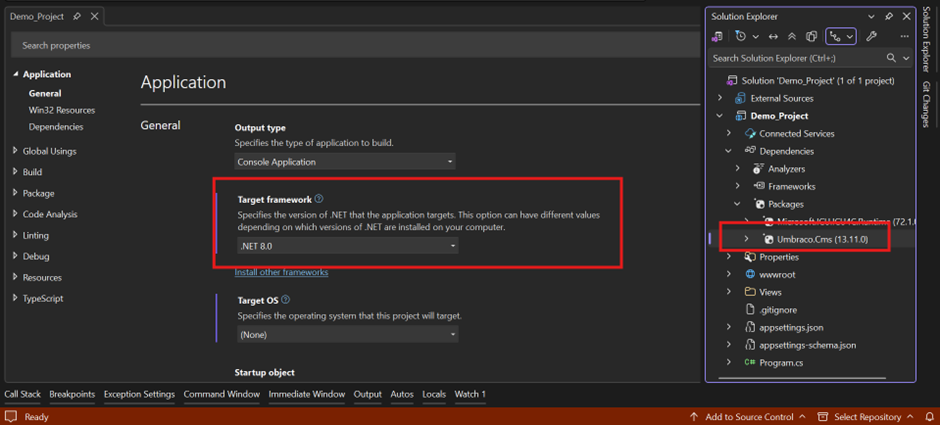
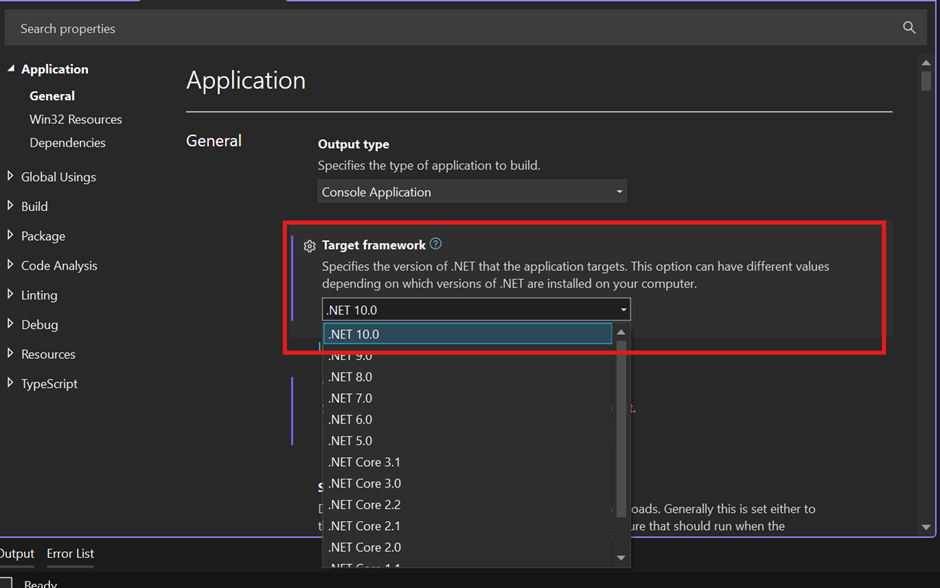
Step 1: Update target framework
- Highlight part in target framework in select .NET 10.0.
- Rebuild the solution.
Step 2: Update Umbraco CMS version
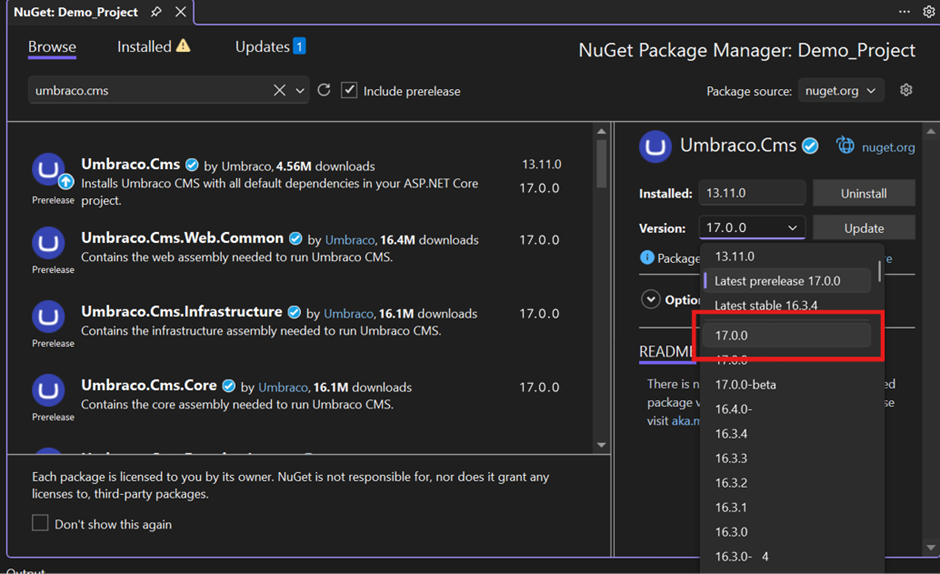
- Please open Nuget – Solution and update Umbraco version 17.0.0 as per below image highlight wise.
- Rebuild the solution.
Step 3: Error Solution
- After rebuild the solution getting below error in Program.cs class and remove highlight line in code.
- Rebuild the solution.
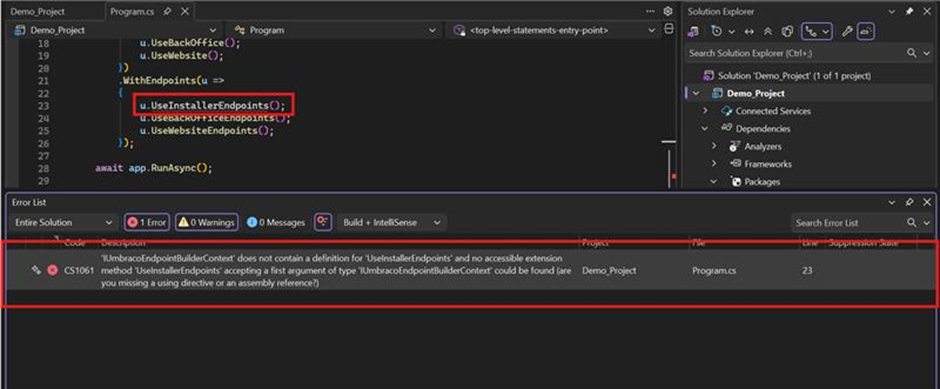
- After rebuild again show error in Umbraco auto generate model because Umbraco 17 in some model access property are changed so please delete this model folder and run the project with error.
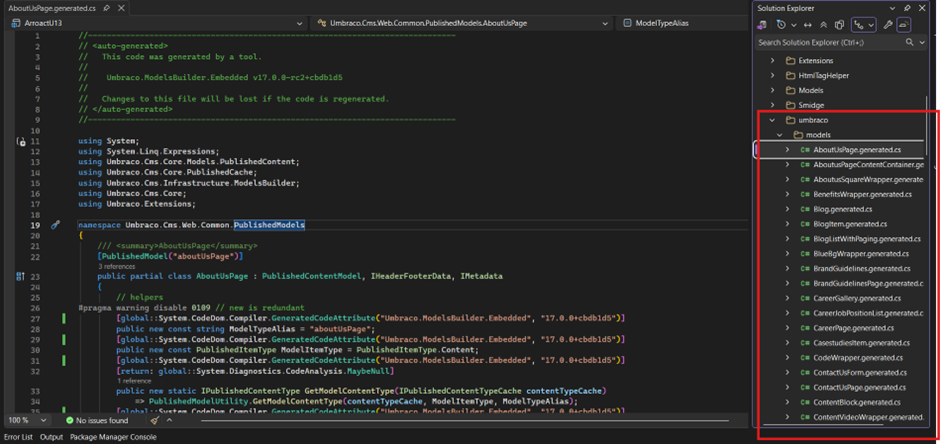
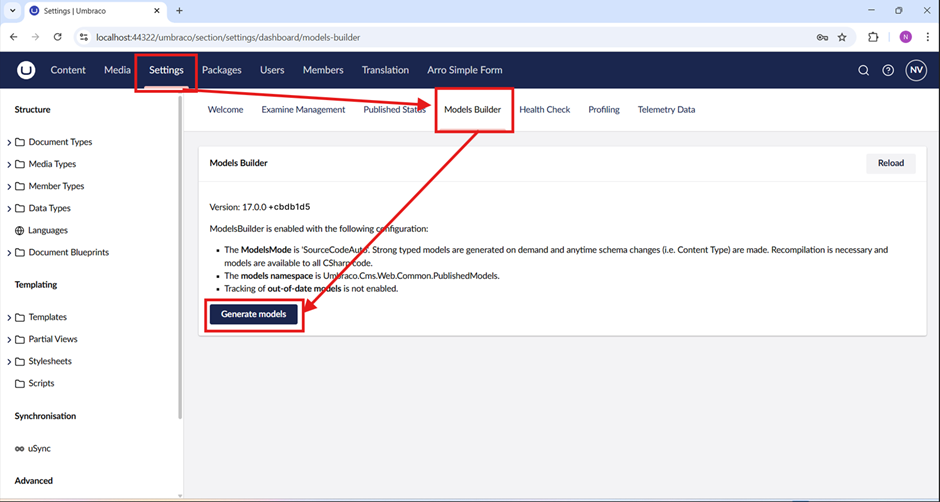
- After run successfully open setting and click on “Model Builder” then show below image window click button of “Generate Models” then create model as per new property wise.
- Rebuild solution error has been resolved.
Step 4: Run the website
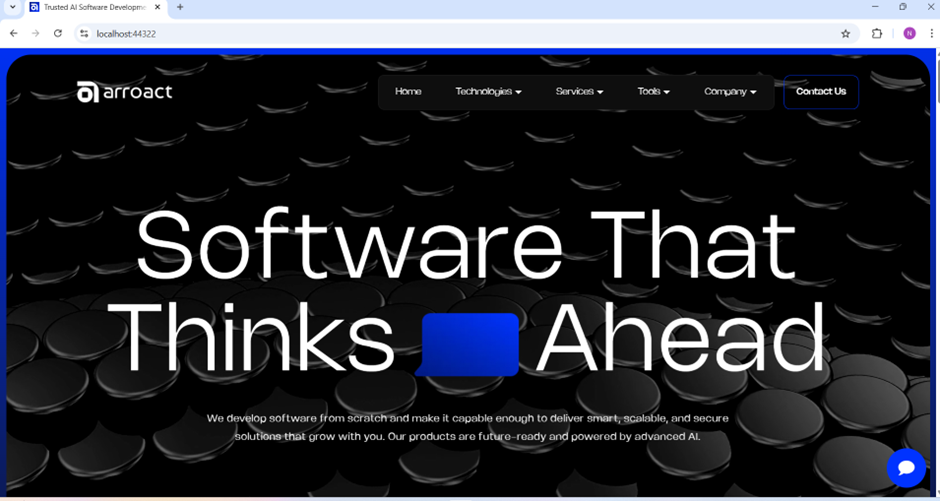
- My website is run successfully and completely convert 13 to 17 and everything is working fine.
Related Blogs


11 February 26 •
15 min read
Umbraco
Umbraco 17 GraphQL Package – Build Flexible Headless APIs with Arroact.Umbraco.GraphQL
Are you building a headless website using Umbraco 17 and finding the Delivery API difficul…
Read More

11 February 26 •
20 min read
Umbraco
Common Umbraco Anti-Patterns That Slowly Kill Performance
Performance problems in Umbraco projects rarely appear overnight. Most teams do not deploy…
Read More

05 February 26 •
20 min read
Umbraco
Integrating Umbraco AI in the Backoffice Using Umbraco AI Packages
Introduction
Umbraco AI packages are very helpful for daily development tasks in the Backo…
Read More